
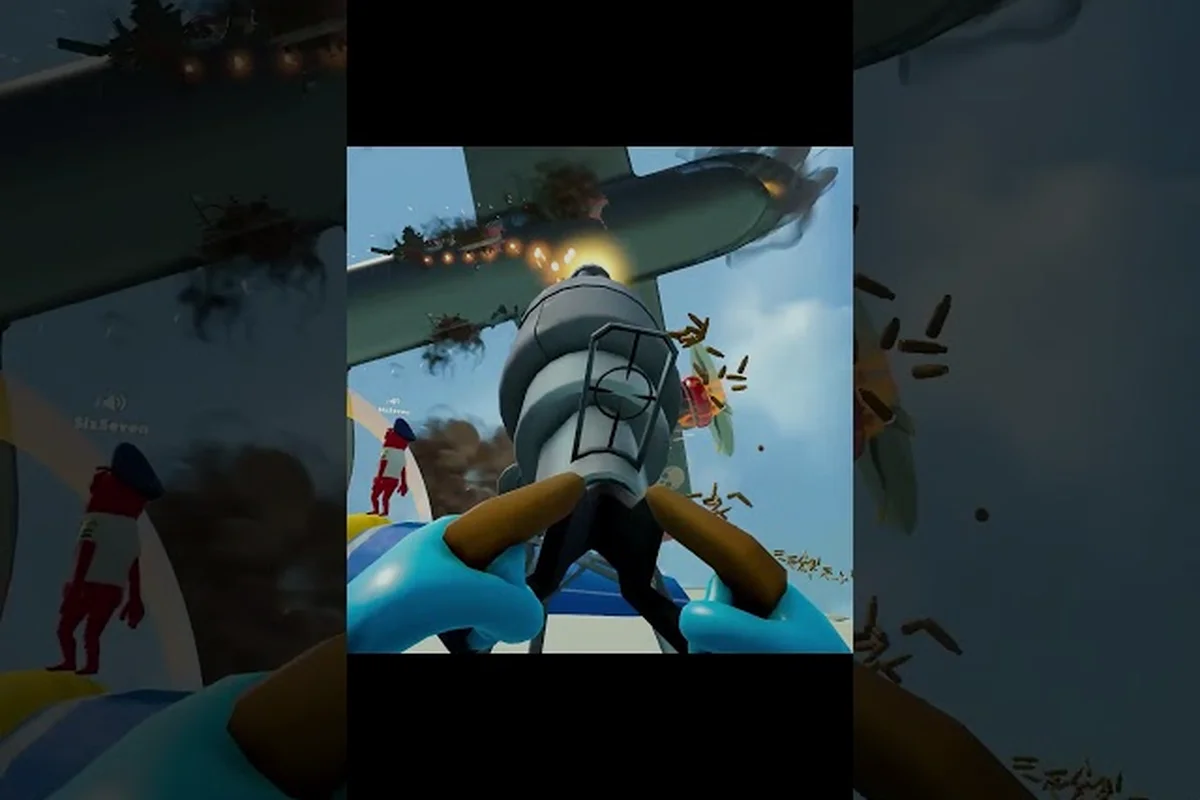
Stabilizing a cabin-shaking airliner in Dear Passengers comes down to your Dear Passengers flight control reflexes, and the difference between a rough landing and a clean touchdown lives almost entirely in how fast the pilot trims, modulates throttle, and counter-steers through wind shifts. The game ships with dynamic turbulence, rain bands, and air pockets, and the pilot's seat is where most of that chaos is either absorbed or amplified for everyone else in the cabin. This guide breaks down the trim baseline, the recovery inputs that stop a stall from cascading, and the landing-and-takeoff patterns that work when the sky turns ugly, all drawn from the Dear Passengers Steam store page and early community testing.
Trim Baseline: The First Thing to Set Every Flight
Trim is the silent workhorse of Dear Passengers flight control. Because the game models a physics-based airframe, the plane naturally wants to pitch, yaw, and roll based on weight distribution, fuel burn, and how the cabin crew is jostling unsecured cargo. Leaving trim at neutral guarantees you will fight the stick the entire route, which burns pilot attention that should go to weather reading and passenger complaints.
What Trim Actually Controls
Trim in this cockpit adjusts the neutral resting angle of the control surfaces, not the surfaces themselves. When you push the stick forward, you are adding to whatever the trim has set. If trim is set nose-down and you pull back, you are only pulling back from a nose-down baseline, so the effective deflection is smaller than it feels. The reverse is also true: trim nose-up means every small stick input translates to a bigger pitch change than the on-screen stick deflection suggests.
The practical consequence, according to community testing threads, is that pilots who skip trim end up over-correcting on every gust. The plane porpoises, passengers get thrown, and the cabin crew loses time chasing items that should have stayed put.
| Trim Setting | Best Used When | Pilot Feel | Risk If Ignored |
|---|---|---|---|
| Nose-up trim | Heavy cargo, low fuel, descent prep | Stick feels "heavier" on pull | Stall if gust hits at low altitude |
| Nose-down trim | Light load, climb-out, high speed | Stick feels "lighter" on push | Overspeed dive in dive-bomber scenario |
| Neutral trim | Cruise with balanced load | Predictable, requires constant micro-corrections | Higher workload, slower reactions |
| Yaw trim | Crosswind, asymmetric weight (sliding cargo) | Rudder pedals feel centered | Constant pedal pressure, fatigue |
How to Establish Your Cruise Trim
Start every flight with a short trim sweep during the first minute of cruise. Push the stick forward gently until the nose begins to drop, then pull back one or two notches until the altitude line holds steady without input. This is roughly the same workflow pilots use in the cockpit guide for Dear Passengers, and it works because the airframe is close to its design cruise attitude at that point. If a gust kicks in and the plane holds its altitude without you touching the stick, trim is set correctly.
If the cabin crew reports sliding cargo or loose items migrating aft, expect the center of gravity to shift, which will require re-trimming later in the flight. According to the official store description, the game features physics-based cargo and cabin chaos, so a heavy suitcase that ends up in the back of the cabin will literally pull the tail down.
Throttle and Stick: The Inputs That Do the Heavy Lifting
Throttle is the most powerful single control on the plane, and yet most new pilots barely touch it after takeoff. In Dear Passengers, throttle is not just a speed dial. Throttle determines energy state, climb rate, and how much margin you have when a sudden downdraft tries to push you into the terrain. Stick inputs change the direction of that energy, but only throttle changes the amount of it.
Throttle as an Energy Lever
Energy in this sim is roughly speed plus altitude. If you lose speed, you lose altitude faster than you would in a real-world airliner, because the game's stall model punishes low-energy states harshly. When turbulence hits, the instinctive reaction is to pull back on the stick to "climb over it," but pulling back without adding throttle bleeds energy exactly when you need it most. The correct move, according to pilots who have flown early access builds, is to push throttle to full a second before you pull back.
| Situation | Throttle Action | Stick Action | Expected Outcome |
|---|---|---|---|
| Encountering severe turbulence | Throttle to max | Hold altitude, slight nose-up | Maintain energy, smooth ride |
| Air pocket descent | Throttle to max | Level wings, slight nose-up | Recover altitude without stall |
| Sudden headwind shear | Throttle to max | Push nose down 5° | Convert potential energy to speed |
| Tailwind on landing | Throttle idle early | Smooth flare | Avoid float past runway |
| Crosswind gust | Throttle steady | Rudder into wind, aileron away | Crab then wing-low transition |
Stick Discipline Under Gusts
The biggest mistake in Dear Passengers flight control is treating the stick like a steering wheel. Sharp stick inputs excite the airframe, and an excited airframe is a cabin full of falling passengers. Instead, treat the stick as a slow trimmer. Make inputs of a degree or two, then pause and watch what the plane does. Community testing on the developer beta branch has shown that pilots who limit stick rate to roughly 30° per second recover from gusts in half the time, because the plane does not enter a Dutch roll.
If you do find yourself in Dutch roll, the recovery is counter-intuitive: stop touching the stick entirely for two to three seconds, and let the natural damping settle the oscillation. Then re-trim and resume small inputs. The instinct to fight the oscillation is exactly what makes it worse.
Recovering From Turbulence: Dear Passengers How to Recover
The Dear Passengers how to recover from turbulence question has a surprisingly short answer once you understand the energy model. Recovery is not about fighting the plane, it is about giving it the energy and time to sort itself out, then re-trimming to the new equilibrium. Most pilots who crash in bad weather are not failing at the recovery move, they are failing at the post-recovery trim.
The Three-Second Recovery
When the plane enters a turbulence patch, the airframe will pitch, roll, and yaw. Your job in the first second is to do nothing except verify throttle is at maximum. In the second second, level the wings using aileron, ignoring altitude for the moment. In the third second, adjust pitch to hold the altitude you had when the patch started. The whole sequence should take no more than three seconds of real time, which is why it is called the three-second recovery.
| Recovery Phase | Time Budget | Primary Input | Secondary Input |
|---|---|---|---|
| Stabilize energy | 0-1 second | Throttle to max | None |
| Level wings | 1-2 seconds | Aileron to wings-level | Slight rudder for coordination |
| Re-acquire altitude | 2-3 seconds | Gentle nose-up | Trim up if altitude restored |
| Re-trim | 3-5 seconds | Match new equilibrium | Reset throttle to cruise setting |
The reason this works is that turbulence is a transient disturbance, and the airframe wants to return to straight-and-level flight once the energy input stops. If you fight it with stick alone, you are essentially pushing back against a force that is already ending, which leaves the plane in a non-equilibrium state when the patch clears.
Cabin Crew Roles During Pilot Recovery
Pilot recovery is only half the story. The cabin crew, whether human or AI in your co-op session, is responsible for securing loose items and buckling down passengers. According to the official Dear Passengers website, the game splits roles between the pilot and the cabin crew, and the cabin crew's job during turbulence is to keep the plane's center of gravity from shifting unexpectedly. A loose suitcase sliding to the back is effectively a trim change, and a trim change the pilot did not ask for is what causes most recovery cascades.
If you are flying solo with AI crew, assign one crew member to the cargo net and another to the drink cart. In community playtests, this configuration has shown the cleanest recovery profiles, because the heaviest cabin items stay in the forward section, where the center of gravity is easiest to manage.
Wind Guide: Reading the Air Before It Hits You
A Dear Passengers wind guide is less about fancy instruments and more about reading the visual cues the game gives you. The weather system is dynamic, which means clouds, rain, and turbulence bands are not on a fixed script, they spawn based on route, time of flight, and player behavior in earlier legs. Pilots who learn to read the sky recover faster than pilots who stare at the artificial horizon.
Visual Wind Cues
The first cue is cloud movement at altitude. If the clouds above you are visibly moving in a different direction than the clouds below, expect shear. If the cloud layer below is moving faster than your ground speed indicator, expect a headwind component. If the clouds are moving slower than your ground speed, expect a tailwind. These are not just visual flavor, they are functional inputs the game's weather system uses to set up the next turbulence event.
The second cue is rain. A Dear Passengers rain guide would be incomplete without mentioning that rain bands are the visual marker for severe turbulence zones. The plane's airframe picks up drag from rain on the windshield, and the wind model pushes the plane around more aggressively in heavy rain than in dry air. When you see the wipers move from intermittent to continuous, the turbulence band is already inside your five-mile bubble.
| Visual Cue | Weather Implication | Recommended Pilot Action |
|---|---|---|
| Clouds moving opposite directions | Wind shear, possible clear-air turbulence | Pre-emptively add throttle, re-trim level |
| Rapid cloud-to-cloud lightning | Severe weather cell, hail possible | Climb or descend 1,000 feet to skirt |
| Wipers on continuous | Heavy rain, drag increase, low visibility | Reduce speed, extend trim spacing |
| Rainbow band ahead | Rain ending, smooth air likely | Maintain altitude, prep for approach |
| Distant cloud tower (cumulonimbus) | Avoid by at least 5 miles laterally | Plan deviation, brief cabin crew |
Altitude Strategies
Altitude is the only weather tool the pilot controls directly. Most pilots in early access report that climbing 1,000 to 2,000 feet above the suggested cruise altitude is the cheapest way to clear a turbulence band, because the worst shear lives in the lower 10,000 feet of the atmosphere. The storm avoidance guide for Dear Passengers covers this in more detail, but the short version is that the cloud tops are smoother than the cloud bases, and the air above a rain band is calmer than the air inside it.
If you cannot climb, descend. Descending is faster than climbing because gravity helps, but it burns altitude margin. Reserve descent for situations where there is terrain or traffic below, or where the turbulence is severe enough that climbing would take too long to clear.
Bad-Weather Takeoffs and Landings: Where Most Crashes Happen
Dear Passengers how to take off in bad weather and Dear Passengers how to land in bad weather are the two highest-difficulty pilot skills, because the energy window is narrowest at both ends of the flight. On takeoff, you have full throttle but no altitude. On landing, you have plenty of altitude but limited throttle authority. Both situations punish hesitation, and both reward pilots who set up the aircraft configuration early.
Bad-Weather Takeoff Pattern
The pre-takeoff checklist in Dear Passengers includes a weather read. If the wind is gusting or rain is visible at the threshold, adjust the takeoff roll. A normal takeoff rolls to rotation speed in roughly the same distance as a calm-weather takeoff, but a wet runway extends that distance by 20 to 30 percent, and a crosswind reduces the directional stability of the nose wheel.
| Takeoff Phase | Calm Weather | Wet Runway | Crosswind | Severe Weather |
|---|---|---|---|---|
| Roll distance | Standard | +20% | +10% | +30% |
| Rotation speed | Standard | Standard | -5 kts (prevent tail strike) | -5 kts (preserve energy) |
| Initial climb | Vy (best rate) | Vy + 5 kts | Vy into wind | Vy + 10 kts |
| First trim action | Level at 500 ft | Level at 800 ft | Coordinated turn to on-course | Climb through shear, level above |
After rotation, the immediate task is to clear the shear layer, which usually lives in the first 200 to 500 feet above the runway. A pilot who tries to turn on course before clearing the shear risks a low-altitude upset, and a low-altitude upset has no recovery margin. Get above 1,000 feet before you make your first turn, even if it means overshooting the on-course heading briefly.
Bad-Weather Landing Pattern
The landing is the inverse of the takeoff, but with less energy to play with. A Dear Passengers how to land in bad weather approach starts with the assumption that the airplane will not behave like a calm-weather approach. Expect to add approach speed, expect to use a slip if crosswind is strong, and expect the flare to feel different from a textbook flare because the wind gradient at the threshold is rarely zero.
A useful trick from the community is to set a personal minimums gate. If the crosswind component exceeds 20 knots, or if the rain is heavy enough that the runway markings are not visible from the threshold, the pilot should consider a go-around before committing to the flare. The game's go-around model is forgiving, and the cost of a go-around is much lower than the cost of a runway excursion. Note: Dear Passengers has not launched yet, so the figures below are community estimates based on trailers and discussion threads rather than confirmed FLEXUS values.
| Landing Phase | Calm Weather | Wet Runway | Crosswind | Severe Weather |
|---|---|---|---|---|
| Approach speed | Standard | +5 kts | +10 kts into wind | +10-15 kts |
| Flare timing | Standard | Earlier, smoother | Crab until threshold, then wing-low | Earlier, expect balloon |
| Touchdown target | Centerline, 1,000 ft markers | Centerline, 1,500 ft markers | Wing-low into wind, centerline | Long, smooth, use full runway |
| Reverse thrust | Standard | Standard | Reduced (cross-control risk) | Aggressive if available |
Severe Weather: Surviving the Worst-Case Scenarios
Dear Passengers severe weather is the tier above bad weather, and it includes conditions that would ground a real-world airliner. Thunderstorm cells, hail, severe icing, and microbursts are all in the game's weather roster, and the survival playbook is different from bad-weather flying. In severe weather, the goal is not to land gracefully but to keep the plane flying long enough to exit the cell or reach a divert field.
The Severe Weather Decision Tree
When severe weather hits, the pilot has three options: climb over it, deviate around it, or descend below it. Each option has a cost, and the right choice depends on the cell's structure. A solid cell with an anvil top usually has a smooth cap above it, so climbing is the cheapest exit. A squall line usually has gaps between cells, so deviation is the cheapest exit. A low-lying storm with high bases is usually climbable, while a high-base storm with virga might be skirtable underneath.
| Weather Feature | Best Exit | Time Required | Risk |
|---|---|---|---|
| Solid thunderstorm | Climb above anvil | 3-5 minutes | Icing in climb, overspeed if rushed |
| Squall line | Deviate around gap | 5-10 minutes | Fuel cost, navigation complexity |
| Low-lying stratus with rain | Descend below | 2-3 minutes | Terrain, low visibility |
| Hail cell | Climb or deviate immediately | 1-2 minutes | Airframe damage, windshield crack |
| Microburst (sudden downdraft) | Full throttle, pitch down 5° | Seconds | Stall if energy not converted |
When to Declare an Emergency
Dear Passengers flight control in severe weather is not about being a hero, it is about recognizing when the flight is unrecoverable through normal piloting. The game's emergency system, while not fully documented in the official store description, has been the subject of community threads, and the consensus among playtesters is that declaring an emergency early is far cheaper than declaring it late. An early declaration gives the cabin crew time to brace, gives the air traffic control AI time to clear a runway, and gives the pilot a mental permission slip to deviate from the planned approach.
According to the Dear Passengers Steam community discussions, pilots who declared emergencies at the first sign of unrecoverable trim runaway reported better outcomes than pilots who tried to "save" the landing. In a co-op game where the cabin crew is also a player, the early heads-up is even more valuable, because the cabin crew can prioritize life-safety over passenger comfort.
Cabin Coordination and Pilot Workload
The pilot cannot manage Dear Passengers flight control alone, and the cabin crew is the pilot's force multiplier in weather. The official store description highlights that one player pilots the plane while the rest keep the cabin together, serve passengers, and stop small problems from becoming full-blown disasters. In a turbulence event, the cabin crew's job is to stop loose items from becoming trim changes, and that requires real-time communication with the pilot.
Brief the Cabin Before the Weather Hits
The most efficient weather protocol in Dear Passengers is to brief the cabin 30 seconds before a known turbulence patch. A short call of "turbulence in 20 seconds, secure the galley" gives the cabin crew time to lock the drink cart, strap the heaviest luggage, and seat any standing passengers. The pilot gets a stable cabin, which means a stable center of gravity, which means a cleaner recovery.
| Pre-Weather Pilot Action | Cabin Crew Action | Expected Benefit |
|---|---|---|
| Call turbulence ahead | Lock drink cart | Prevent roll moment from shifting cart |
| Announce descent for weather | Stow loose service items | Reduce debris in aisle |
| Declare emergency early | Brace positions, secure infants | Reduce passenger injury, smoother landing |
| Request cabin visual check | Report any sliding cargo | Pilot can re-trim preemptively |
If you are flying solo with AI cabin crew, the AI handles most of this automatically, but the AI's reaction time is slower than a human cabin crew, so the pilot should expect a wider trim envelope after a turbulence event. Plan an extra re-trim pass about 10 seconds after the patch clears, and use that time to re-balance throttle and stick.
Frequently Asked Questions
What is the fastest Dear Passengers flight control fix for a sudden turbulence hit?
Push throttle to maximum, level the wings with aileron, then re-acquire your original altitude with a small nose-up input. This three-second sequence preserves energy and lets the airframe damp out the disturbance naturally. Avoid fighting the stick, because large inputs excite the airframe and prolong the recovery.
How do I take off in Dear Passengers bad weather without losing control on the roll?
Reduce rotation speed by about 5 knots compared to a calm-weather takeoff, hold the nose wheel on the centerline until you have positive climb, and do not turn on course until you are above 1,000 feet. The first 500 feet are the most dangerous, and clearing that altitude band before any heading change is the single biggest safety win.
What should I do if rain reduces my forward visibility on approach?
Stabilize the approach at a slightly higher speed, add 10 to 15 percent to your normal approach speed, and plan to use a longer rollout on landing. If the runway markings are not visible from the threshold, execute a go-around. The community has consistently reported that go-arounds in Dear Passengers are cheap, and the cost of floating past the runway is much higher than the cost of one extra circuit.
How do I recover from a microburst in Dear Passengers severe weather?
Convert potential energy to kinetic energy. Push the nose down about 5°, add full throttle, and accept a temporary altitude loss in exchange for airspeed. Pulling back during a microburst is the most common fatal mistake, because the downdraft is already pulling the plane toward the ground, and pulling back stalls the wings at the worst possible moment. The recovery is counterintuitive, but it is the only one that preserves flight.
Can I change altitude mid-flight to escape weather in Dear Passengers?
Yes, and you should. Climbing 1,000 to 2,000 feet above your planned cruise altitude is the cheapest way to clear a turbulence band, because the worst shear lives in the lower atmosphere. If climbing is not possible, descending is the second option, and deviating around the weather cell is the third. Reserve climbing for cells with smooth tops, and reserve deviation for cells that are too wide to climb over.