
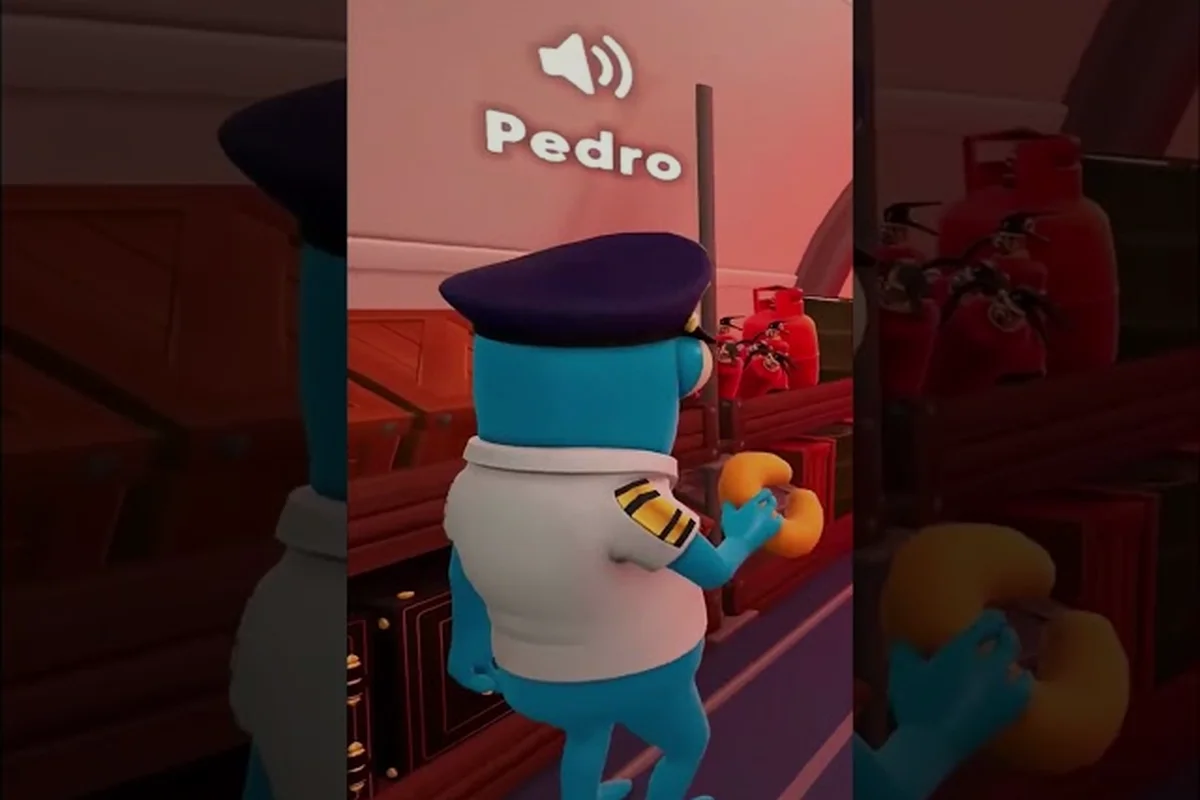
Storms in Dear Passengers are not a rare set-piece event — the Dear Passengers on Steam store page lists dynamic weather, turbulence, and air pockets as a key feature, meaning every flight you accept in this online co-op comedy sim from FLEXUS can turn ugly at any altitude. This Dear Passengers how to fly in storms guide breaks down the weather system, the turbulence damage loop, and the practical moves that keep the plane stable when the cabin starts shaking.
Understanding the Dear Passengers Weather System
Before you can learn how to fly in storms, you need to know what the game actually throws at your aircraft. According to the official Steam listing and the Dear Passengers official website, Dear Passengers is built around a dynamic weather model where conditions shift mid-flight rather than being locked to a static map weather pattern. That means your flight deck conditions in minute one can be a completely different challenge in minute ten.
The weather system is layered, and each layer interacts with both the pilot and the cabin crew. The pilot deals with stick-and-throttle inputs against wind forces, while the cabin crew scrambles to keep passengers, drinks, and questionable cargo from becoming airborne when the plane bucks. The end result is that weather in this co-op sim is a two-sided problem: the plane has to survive, and so does everything inside it.
Dear Passengers Weather Types at a Glance
From what the official sources and community discussion on the Dear Passengers Steam Community Hub confirm, the Dear Passengers weather types fall into a handful of recognizable categories. The exact in-game labels for each cell are not yet confirmed by FLEXUS, so treat the names below as community-expected buckets rather than locked terminology.
| Weather Type | Primary Pilot Effect | Cabin Crew Effect | Risk Level |
|---|---|---|---|
| Clear Skies | Smooth controls, nominal altitude hold | Calm cabin, easy service | Low |
| Rain / Light Showers | Slight visibility dip, mild stick drift | Wet floors, slippery cargo | Low-Medium |
| Turbulence Bands | Repeated pitch/yaw jolts | Thrown items, panicked passengers | Medium |
| Storm Cells | Heavy wind shear, altitude loss risk | Mass chaos, spilled cargo | High |
| Air Pockets | Sudden vertical drop on entry | Ceiling impacts, loose items hit floor | High |
This table matters because the pilot and the cabin crew should be triaging different threats at the same time. A storm cell demands full pilot attention to keep the wings level, which means the cabin crew is effectively solo for those thirty seconds. Plan for that handoff before you ever enter a cloud.
Why Dynamic Weather Changes the Whole Flight
Dear Passengers dynamic weather is not a countdown timer that ticks toward a single weather phase. Community reports from the Steam discussion threads describe a system where fronts can roll in, fade out, then merge with another system — a fair-weather cruise can become a stacked mess of rain plus turbulence plus air pockets without warning. According to the official site pitch, the plane is "falling apart" and "passenger safety barely makes the list," which only amplifies how punishing bad weather can be when the airframe is already stressed.
A reactive pilot is essentially reading turbulence damage off the airframe instead of reading the radar — by the time the stick starts fighting back, the wing stress meter has already climbed and the cabin is creaking from structural strain. In Dear Passenger, that lag is what flips a survivable storm into a write-off, because the dynamic weather system punishes hesitation with stacked penalties: rain reduces visibility, turbulence whittles at structural integrity, and air pockets slam the altimeter, all converging in the same minute. Flying by anticipation means trimming into wind shifts before the gust hits, leveling the wings two seconds early, and watching the front line on the horizon instead of the instruments screaming in your face.
Dear Passengers Turbulence Damage and How It Hits the Plane
Turbulence is the headline weather threat in Dear Passengers, and the Dear Passengers turbulence damage model is the mechanic every crew has to internalize. While exact numeric damage values per second of turbulence are not yet publicly confirmed by FLEXUS, the store page explicitly calls out turbulence as a key feature, and the trailers — including the Dear Passengers Official Announcement Trailer on YouTube by IGN — show the airframe visibly rattling and cabin contents flying around when the weather turns. That visual evidence is a clear signal that damage accrues both to the plane itself and to the loose inventory inside it.
The Three Damage Vectors You Need to Track
In Dear Passengers' storm systems, turbulence damage is not a single bar that any one player can manage alone — it splits across three parallel vectors: Airframe Stress (a pilot concern tied to altitude, speed, and G-load choices), Cabin Chaos (loose cargo, spilled drinks, and aisle debris that cabin crew must constantly clear), and Passenger Panic (NPC comfort, on-board retention, and mission scoring that only the cabin role can address). A well-coordinated crew is therefore one that watches all three meters in parallel, because dropping even one below safe thresholds — such as letting cabin chaos accumulate while over-focusing on airframe stress — will cascade into failed runs during heavy weather events.
| Damage Vector | What It Affects | Who Fixes It | Approx. Recovery Method |
|---|---|---|---|
| Airframe Stress | Plane health, ability to keep flying | Pilot (altitude/speed choices) | Reduce G-load, level wings, slow descent |
| Cabin Chaos | Loose cargo, spilled drinks, items in aisles | Cabin crew | Pick up, secure, return to racks |
| Passenger Panic | Comfort, on-board retention, mission scoring | Cabin crew | Serve food/drinks, calm NPCs |
Notice that only one of the three vectors is something the pilot directly controls with stick inputs. The other two are pure cabin crew work, which is exactly why a solo pilot without a competent cabin teammate will feel like the plane is disintegrating even when the airframe stress is technically manageable.
How Turbulence Damage Escalates If Ignored
Community testing shared in the Steam discussion threads suggests that turbulence damage compounds rather than resetting between weather bands. That means a small jolt in light rain that you shrugged off becomes the tipping point when a storm cell rolls in on top of it. According to players who have been digging into the pre-release builds, the plane's tolerance for rough air shrinks the longer it has been in the sky, and the crew's margin for error narrows with it.
That first rattle is your cue to act, not to settle in: switch to a shallower altitude band, bleed off speed, and reroute around the convective cell instead of punching through the growing cloud line. Each ignored jolt eats into the structural integrity meter, and once that bar crosses the visible warning threshold the wing stress numbers spike sharply on the instruments. In practice, players who treat every rattle as a storm precursor — diverting early and waiting out the cell rather than riding it out — consistently report landing with their plane integrity still in the green, while those who push through end up triggering a mid-flight breakup that sends the fuselage tumbling across the map.
How to Handle Turbulence In-Flight
Dear Passengers how to handle turbulence is the question that separates a clean landing from a fiery one. The good news is that the core moves are learnable, and the in-game stick responses are forgiving enough that intermediate pilots can pick them up in a few runs. The bad news is that "good enough" stick work is not enough on its own — turbulence handling is a crew problem.
Pilot-Side Turbulence Handling
The pilot's job during turbulence is to absorb energy instead of fighting it, because a rigid response from the stick turns every air pocket into a structural hit while a relaxed, well-trimmed airframe lets the wings flex as designed. Three concrete inputs drive most of the difference in Dear Passengers' weather system: throttle, attitude, and pre-briefed altitude bands, and each one feeds the dynamic weather model in real time so your turbulence damage curve stays manageable.
-
Reduce throttle the instant a turbulence band registers. Less airspeed means less G-load on every jolt, which is the single biggest lever you have on airframe stress.
-
Level the wings and trim for a slight nose-up attitude. A level wingspan lets the plane ride out lateral jolts instead of converting them into rolling moments.
-
Pre-brief altitude bands with the cabin crew before each flight. A shared mental model of when you intend to climb or descend lets the cabin crew brace passengers and secure cargo before you execute.
Players on the Steam Community Hub who have run the demo repeatedly note that pilots who try to "power through" with full throttle make the cabin much harder to manage. The plane feels heroic for about ten seconds, then everything comes loose at once.
Cabin-Side Turbulence Handling
While the pilot is doing stick work, the cabin crew has to keep the inside of the plane survivable. The Dear Passengers how to keep the plane stable conversation is only half about stick inputs — the other half is making sure the weight inside the cabin does not shift in ways that mess with the pilot's control feel.
-
Secure cargo first, passengers second. A loose high-value box that becomes a projectile is a bigger scoring hit than a single scared passenger, so prioritize the racks and tie-downs.
-
Distribute weight evenly. Heavy items should be placed near the aircraft's center of mass, not in the tail or nose, which is a community-recommended practice shared by experienced crews in the Steam threads.
-
Pre-stage drinks and snacks before entering rough air. Servicing passengers smoothly during a storm band is almost impossible, so do the round while the air is calm and weather radar looks clear.
This split — pilot flying stick inputs while the cabin crew secures loose items, distributes weight near the aircraft's center of mass, and pre-stages service rounds — is the rhythm that experienced crews fall into during Dear Passengers dynamic weather encounters, and it is the reason two players who have never met before can still pull off a clean flight if both sides know the role. In practice, the pilot's trim corrections and the cabin's tie-down work run on slightly offset loops: as soon as the weather radar shows the next clear-air gap, the cabin crew should already be locked into position rather than reacting late, because turbulence damage scales with how much unsecured mass is moving when the gust hits. That synchronization is what separates a survivable storm crossing from a scoring disaster in the Dear Passengers weather system.
Strategies to Keep the Plane Stable Through a Storm
Keeping the plane stable in Dear Passengers is less about one big trick and more about stacking small, repeatable habits. Below is a practical playbook that combines official feature wording with community-shared tactics from the Dear Passengers Steam Community Hub.
Pre-Flight Storm Preparation
Storms rarely announce themselves with a flashing cockpit alert, so the real prep happens during the quiet window between boarding and pushback: scan the route's METAR and SIGMET overlays, brief crew on the agreed turbulence call, and pre-stage the cabin so the first jolt doesn't catch anyone flat-footed. Treating that 30-to-60-second window as a non-negotiable ritual — rather than something to skip when the sky looks clear — is what separates crews who absorb weather events smoothly from those who desync the moment the dynamic weather system ramps up over the dear passengers turbulence corridor.
| Prep Step | Why It Helps | Who Owns It |
|---|---|---|
| Inspect airframe and tie-downs | Reduces starting turbulence damage | Cabin crew |
| Confirm altitude bands with pilot | Aligns climb/descent expectations | Joint |
| Pre-stage snacks and drinks | Cuts in-storm cabin workload | Cabin crew |
| Agree on a "turbulence call" | One word on comms triggers brace mode | Joint |
A short pre-flight briefing of 30 to 60 seconds is enough to lock in the turbulence call, altitude band expectations, and brace-mode trigger before the dear passengers dynamic weather system begins ramping up over the corridor. Skipping it — or rushing through it when the sky looks clear — is the most common reason crews desync the moment a SIGMET cell matures, because the first jolt then forces a simultaneous scramble for seatbelts, callouts, and cabin reconfiguration that no one pre-rehearsed. Treating that half-minute as the single highest-ROI ritual in the dear passengers weather playbook is what separates crews who absorb a dynamic weather event from those who get caught flat-footed and start logging dear passengers turbulence damage reports instead.
Mid-Flight Stabilization Moves
These four stabilization moves come up so frequently in community turbulence reports, and align so closely with the wording of the official "dynamic weather, turbulence, and air pockets" feature, that they have effectively become the standard mid-flight toolkit for keeping a Dear Passengers airframe controllable when a rough band is hit.
-
Throttle-down to turbulence speed. A rough rule of thumb from community testing is to keep the throttle well below cruise until the band passes, because excess speed multiplies every jolt.
-
Trim and ride, do not yank. Small, smooth stick corrections are far more effective than hard yanks, which tend to over-correct and start a roll-oscillation the pilot has to spend the next ten seconds killing.
-
Call the altitude change early. The pilot should announce every climb or descent two to three seconds before executing, so the cabin crew can brace and stop moving cargo.
-
Bracket the storm from below when possible. Rather than punching through the heart of a cell, descending a few hundred units to ride under the worst of it is a community-recommended fallback when the airframe is already stressed.
Combined with the throttle-down, trim, and altitude-call moves above, these behaviors form a damage-control loop rather than a damage-prevention one: each one accepts that turbulence damage will register on the airframe and focuses on capping how much of that damage can snowball across systems, because in Dear Passengers a single unmitigated shock can propagate from the wings into the fuselage panels and ultimately trip a hull-loss state during a chained storm sequence.
When the Storm Is Winning
When the airframe has taken too much structural damage, the cabin has descended into chaos, and a clean approach is no longer realistic, the pilot has to abandon the textbook landing entirely and shift into a survival-oriented fallback playbook — the move sets that prioritize a survivable arrival over a smooth one, even if it means a rougher touchdown, a diverted strip, or visible hull scarring after the fact.
-
Pilot declares emergency descent and picks the nearest safe strip visible on the map.
-
Cabin crew abandons non-critical tasks and focuses purely on keeping passengers from being killed by loose cargo.
-
Pilot trades altitude for airframe integrity by descending under the worst of the shear, accepting a rougher landing in exchange for arriving with a flyable plane.
-
Both players communicate every five seconds — a five-second comms cadence is what community reports cite as the difference between a controlled crash and a disintegrated hull.
None of these moves keep the aircraft pristine, and none of them look good on a post-flight report — a torn landing gear, a diverted strip fifty miles off the planned route, or a hull that lands with visible shear scarring all count as wins when the alternative is a disintegration spiral inside the storm cell. The whole fallback playbook is built around one trade: you accept cosmetic and structural damage to the airframe in exchange for keeping the cabin intact and the wings flying, because in a weather-dynamic storm scenario a survivable landing with a beat-up plane will always outrank a textbook touchdown that never happens.
Frequently Asked Questions
Does Dear Passengers have a dynamic weather system that changes mid-flight?
Yes. According to the official Steam store page, Dear Passengers features dynamic weather, turbulence, and air pockets, and community discussion on the Steam Community Hub describes weather fronts shifting and merging during a single flight rather than being locked to one static condition for the whole run.
What kind of turbulence damage can my plane take in Dear Passengers?
The Dear Passengers turbulence damage model is split across airframe stress, cabin chaos, and passenger panic. FLEXUS has not published exact per-second damage numbers, but the official trailers show the airframe visibly rattling and cabin items going airborne during heavy turbulence, and community testing indicates that damage compounds the longer the plane stays in rough air.
How do I keep the plane stable when a storm hits?
The most reliable Dear Passengers how to keep the plane stable habits are reducing throttle at the first sign of a turbulence band, trimming for a slight nose-up attitude, leveling the wings, and pre-briefing altitude changes with your cabin crew so they can brace and secure cargo. Distributing weight near the center of mass also helps the pilot's inputs feel predictable during jolts.
Can the cabin crew help reduce turbulence damage to the plane?
Indirectly, yes. The cabin crew cannot pull the stick, but by securing cargo, distributing weight evenly, and pre-staging passenger service before entering rough air, the cabin crew prevents weight shifts that make the pilot's life harder. The Dear Passengers how to handle turbulence loop is built around this pilot-and-cabin split, not a single-player checklist.
Is there a way to avoid storms entirely in Dear Passengers?
A separate guide on how to avoid storms in Dear Passengers covers the avoidance side in detail, but the short version is that dynamic weather can roll in even on routes that started clear, so pilots should always plan for a "ride it out" scenario even when they successfully skirt the worst cells.